Meto Live Guide & Tutorials
Step-by-step guides after you start your Meto Live journey as a livestream host or an agency.
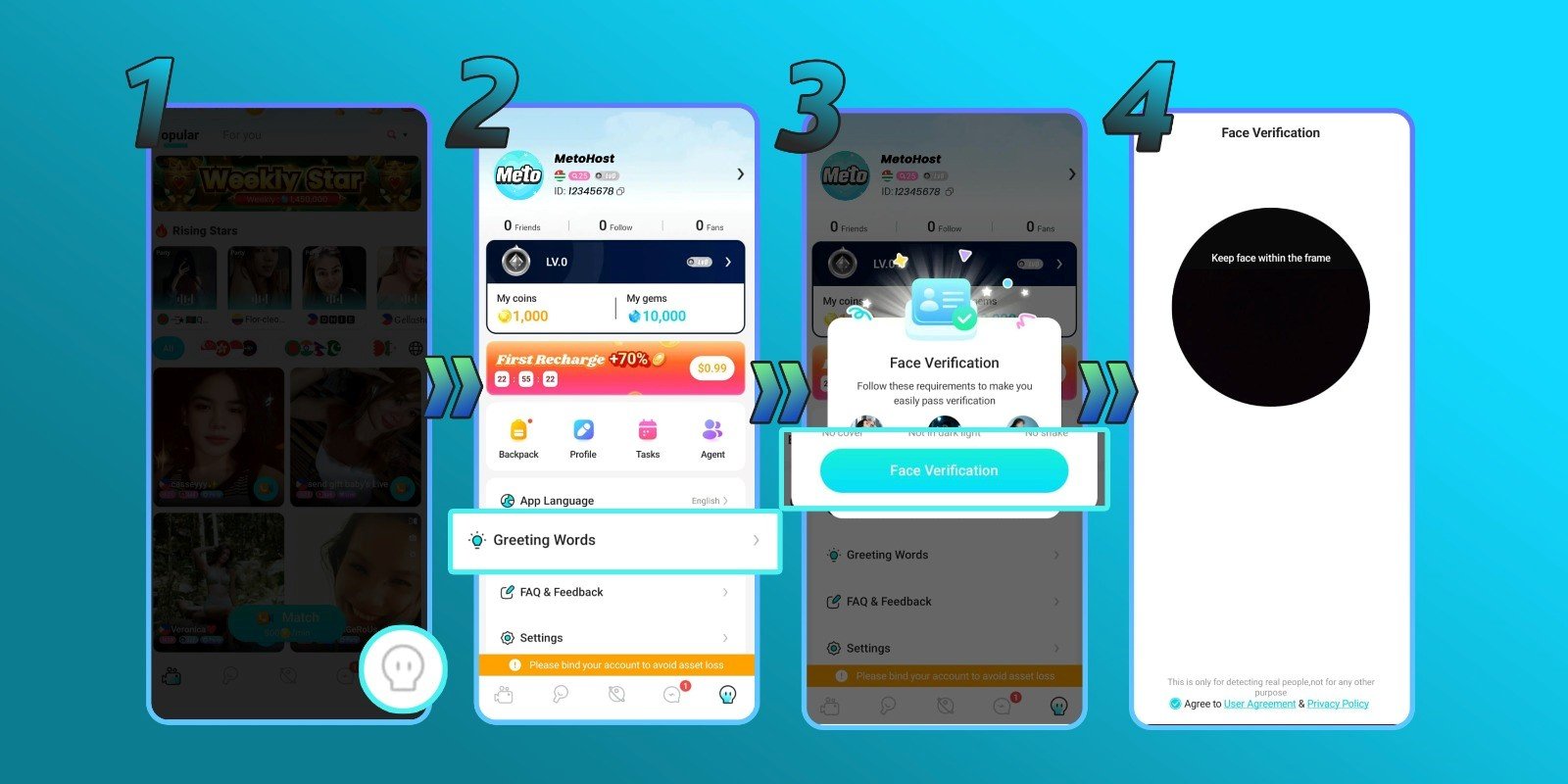
How to Complete Face Verification for Host
1. Open Meto Live App
Login using your Host account.
2. Visit Your Profile
Open your profile page inside the Meto Live app.
3. Click Greeting Words
Click the Greeting Words menu.
4. Follow the Verification Instructions
Follow the instructions shown in the app. You may need to face the camera, blink, or move your head as instructed.
5. Start Live Streaming
After completing verification, you can start using Host features such as live streaming.
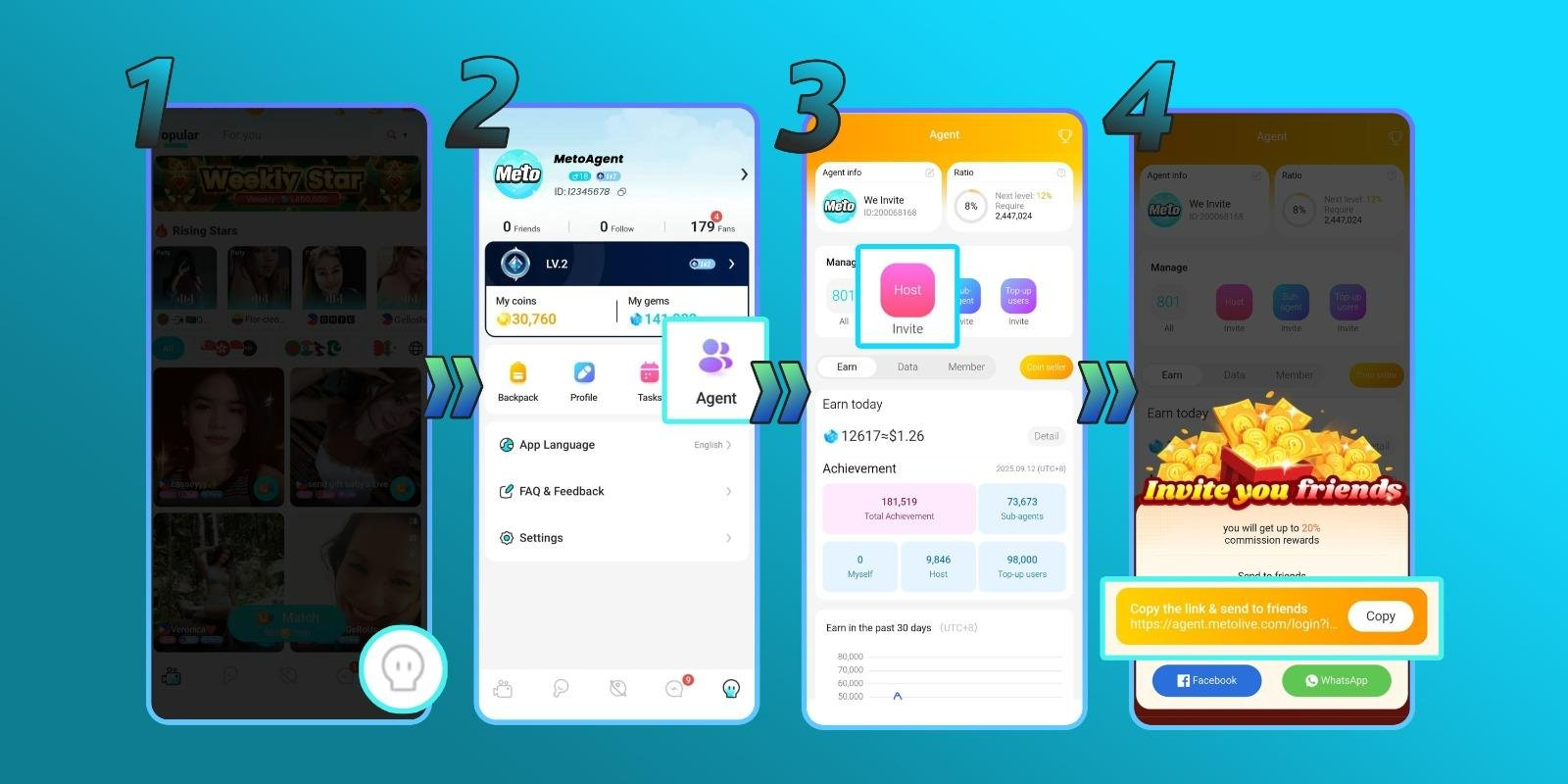
How to Add a New Host as Agent
Step 1: Open the Meto Live app and visit your profile.
Step 2: Click Agent.
Step 3: Click Invite Host.
Step 4: Copy the invitation link and send it to the Host.
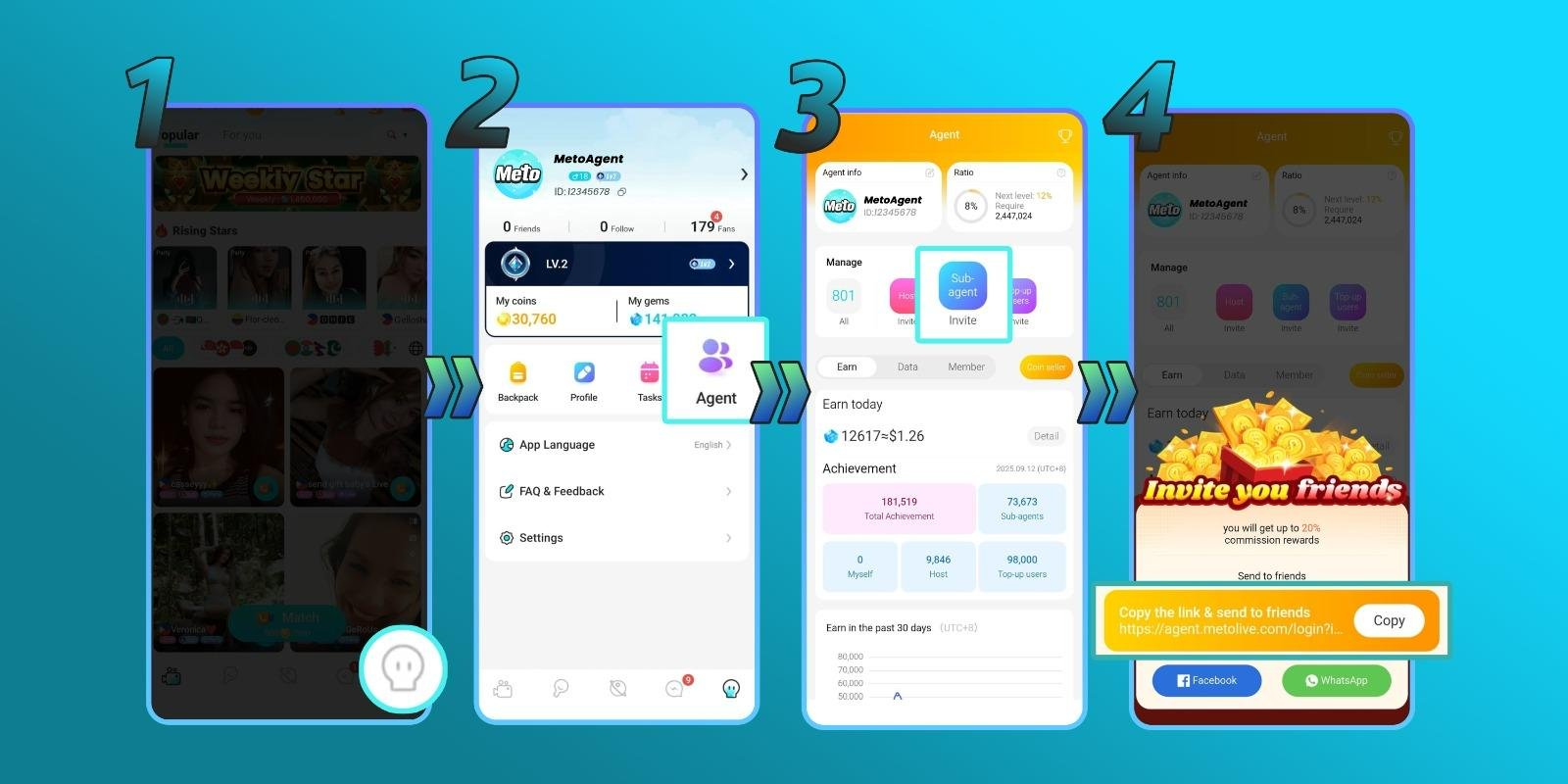
How to Add a New Sub-Agent
Step 1: Open the Meto Live app and visit your profile.
Step 2: Click Agent.
Step 3: Click Invite Sub Agent.
Step 4: Copy the invitation link and send it to the Sub-Agent.
Frequently Asked Questions
Do I need the Meto Live app before becoming an Agent?
Yes. You need to download the app, create an account, and copy your Meto ID before registering as an Agent.
Where can I register as an Agent?
Use the official Agency Registration link: agent.livetalkworld.com
Is face verification required for Hosts?
Yes. Face verification is required to access Host features such as live streaming.
Can Agents invite both Hosts and Sub-Agents?
Yes. Agents can invite Hosts and Sub-Agents through the Agent menu in the Meto Live app.
Where do I withdraw earnings?
Open your profile, click My Gems, connect your payout method through My Wallet, then select your withdrawal amount and submit the request.
Start with the Right Tutorial & Agency
Download Meto Live, choose your role as an Agent or Host, and follow the step-by-step guide to complete your setup.